Less repetition
Before
800,787 tokens. Earlier turns, tool output, and repeated file context.
After
14,857 tokens. Summary kept. Recent turns still sent.
 CodeCook
by Makayis
Install CodeCook
A powerful coding add-on for VS Code, Cursor, Antigravity, and compatible IDEs.
Bring your own key and build with bigger models, without the token anxiety.
Why I built CodeCook
Long chats resend everything you already paid for: every old message and every tool output, on every turn. The bill keeps growing even when the work doesn’t.
CodeCook summarizes the older turns, keeps your plan in reach, and shows what each turn will cost.
After CodeCook’s smart compression, 800,787 tokens became 14,857.
Features
Before
800,787 tokens. Earlier turns, tool output, and repeated file context.
After
14,857 tokens. Summary kept. Recent turns still sent.
plan.md
Auth stays on the existing provider.
Responses follow the current schema.
Keep the existing database tables.
Every turn shows what was sent, what was saved, and where your month stands.
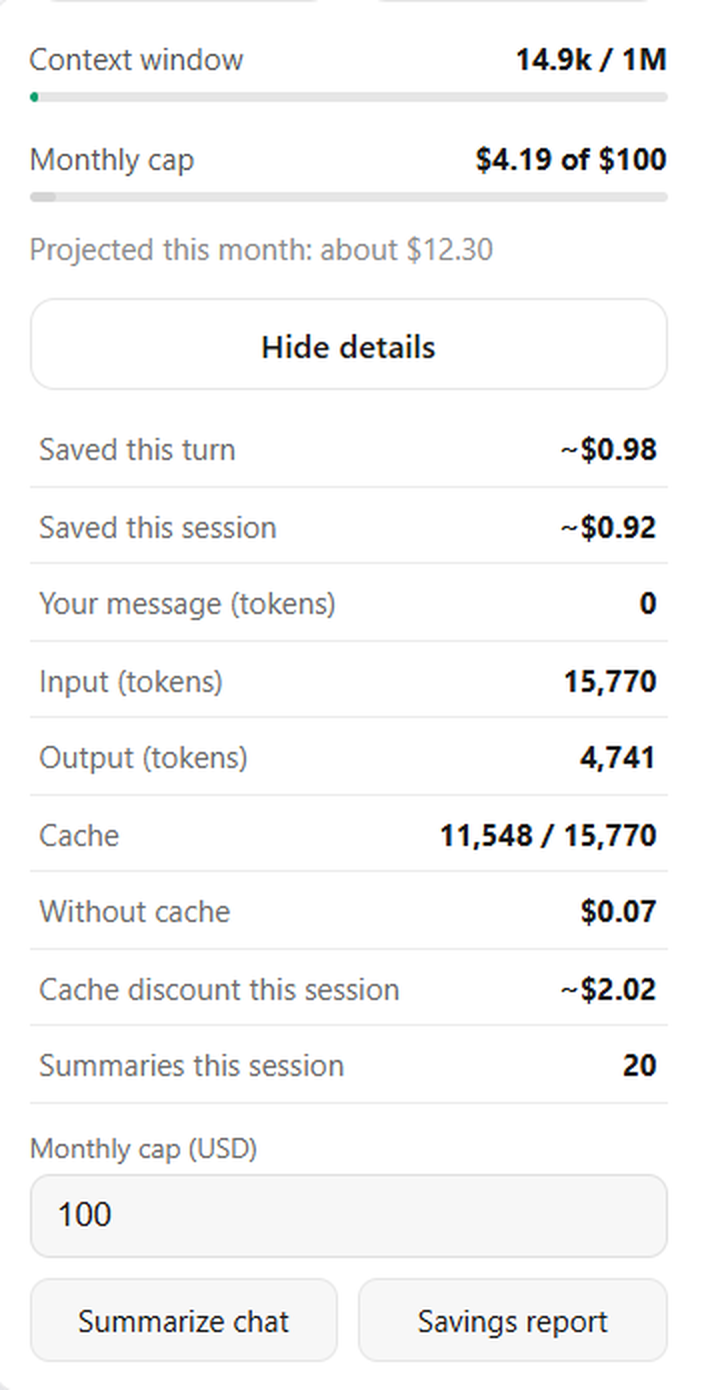
Every change shows as a diff before you accept it.
− sendFullHistory();
+ sendCompactHistory();
Control
Claude, GPT, Google Cloud, AWS, or Azure. Stored on this machine.
Token fields and spend caps are estimates, not the provider bill.
Open it, keep the turn, or revert it.
Who it’s for
01
Spend less time re-explaining a client project and more time delivering the work.
02
Keep building without managing a long conversation by hand every time the context grows.
03
Give the team a shared way to see estimated usage and review the diff before it stays.
FAQ
No. You bring a key for a supported provider. Model usage and charges depend on that account, the model, and the configuration.
You can select a supported model on the provider you connect. Availability, limits, and price stay with that provider. Summarizing older chat is meant to leave more of the prompt for the current work. It does not change what the provider allows.
Summarize chat compresses older history, and later turns can send that summary instead of the full earlier text. The token panel compares history-if-full with history sent. The reduction depends on the conversation, the model, and when you summarize.
A summary can leave details out. CodeCook keeps the recent turns and a plan you can reopen. Read the diff before you keep the change.
Yes. With your own key, you pay that provider. Check their current prices and usage records. Figures inside CodeCook are estimates.
It runs in VS Code (1.85 or newer), Cursor, Antigravity, and compatible IDEs. The key form supports Google, ChatGPT, Claude, Azure OpenAI, and AWS. It is not a plug-in for every AI coding product.
Provider keys are stored in editor Secret Storage on this machine (VS Code, Cursor, Antigravity, etc.). CodeCook does not run a Makayis backend for those keys. A turn sends the key to the provider you selected. This marketing site uses Firebase Analytics, which is separate from the extension. Details are on the privacy page.
Search for CodeCook in the Extensions view (VS Code, Cursor, Antigravity), or run an install command below.
Summarize the old chat. Keep the plan. Read the diff.
Install
CodeCook is free and open-source. View it on the Marketplace or on GitHub.
Search for CodeCook in the Extensions view (VS Code, Cursor, Antigravity) or install the .vsix package directly.
The CodeCook icon will appear on your activity bar when opening a workspace.
Click Enter in the sidebar, then connect Claude, GPT, Google Cloud, AWS, or Azure.
code --install-extension makayis.codecook
cursor --install-extension makayis.codecook
agy --install-extension makayis.codecook